How to use Snovai
Everything you can do once you are connected to your ServiceNow instance.
Instance assessments
Run a CMDB health check, upgrade readiness review, implementation gap analysis, or security and access audit, all grounded in your live instance data. Answer a few questions about your audience and detail level, then get findings in chat or download a structured Word report tailored to whoever needs to see it.
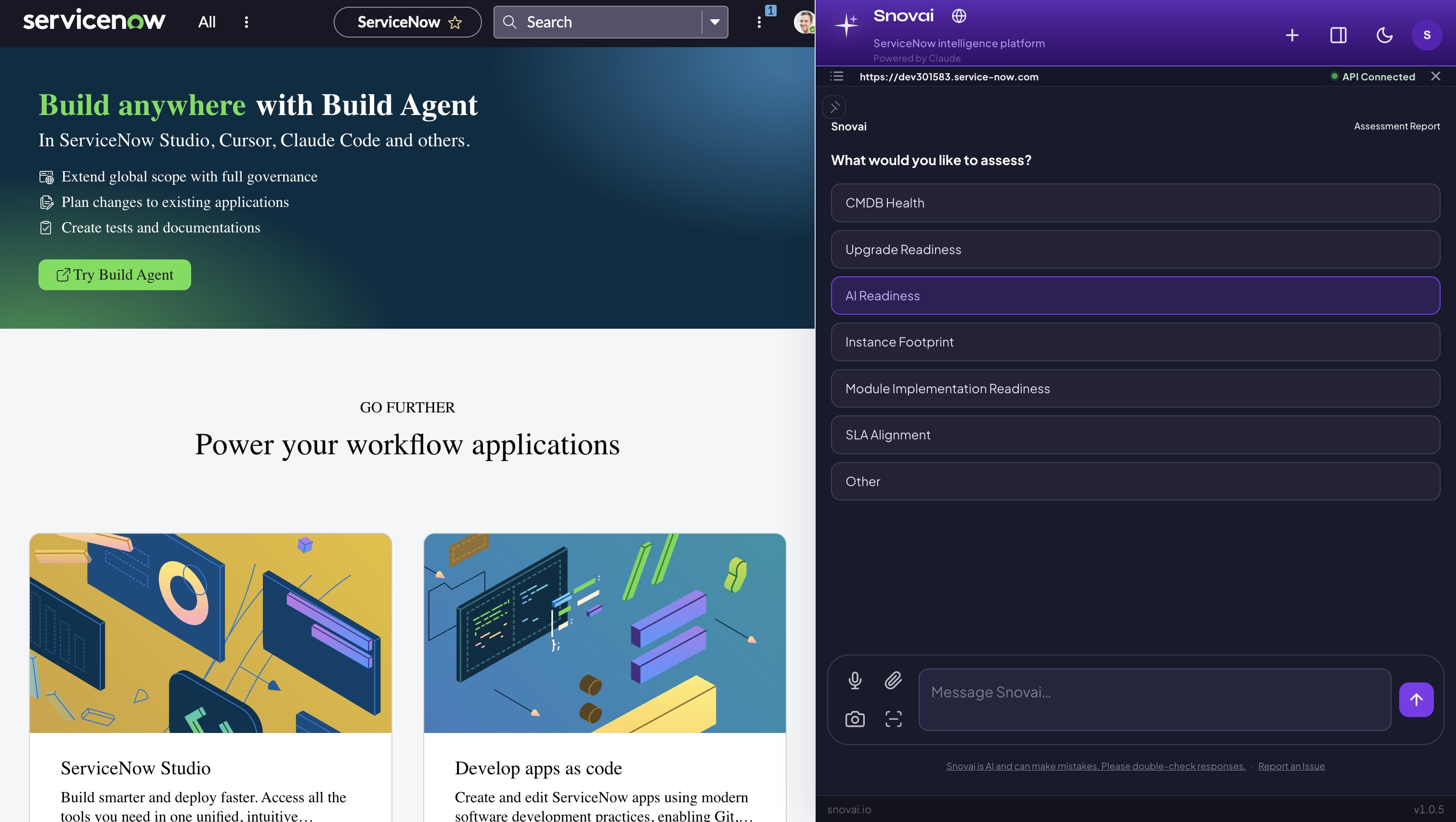
Run a full assessment and download a structured report in minutes.
Business value assessment
Answer a few questions about the module you are evaluating, your audience, and your timeline. Snovai queries the instance and produces a six-section business case: current state, the gap, what the module addresses, readiness, risk of inaction, and a recommendation. Grounded in instance data, not projections.
The report a steering committee can act on, generated in minutes.
Implementation roadmap
Planning a new module? Tell Snovai which module you are implementing. It evaluates your current instance footprint, flags gaps, and gives you a prioritized readiness plan grounded in your actual data, not a generic checklist.
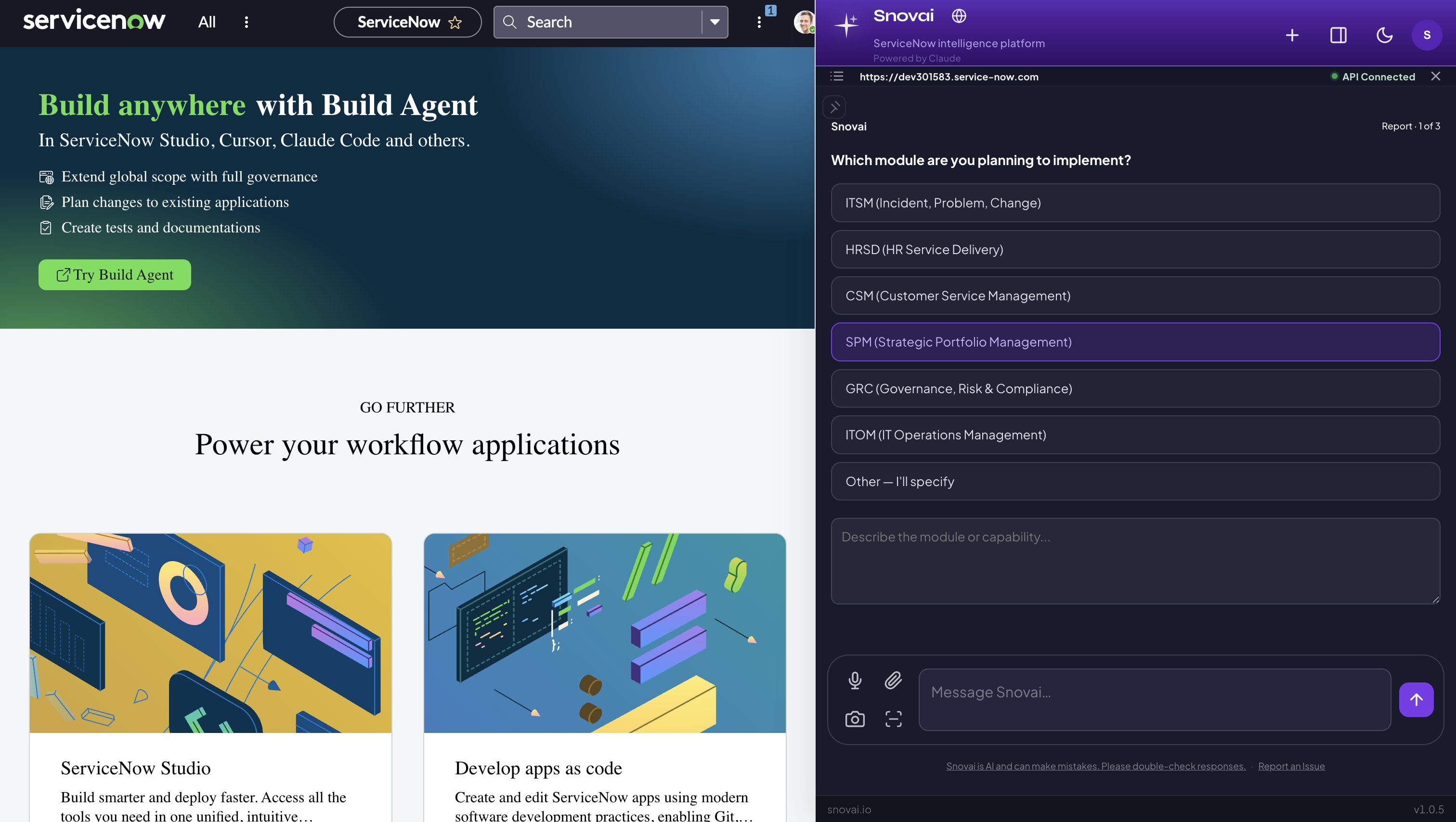
Know exactly what needs to be in place before you go live.
Update set documentation
Select an update set and Snovai queries your instance to auto-generate technical change documentation. Scope, components, dependencies, and change summary: ready to share without writing a word.
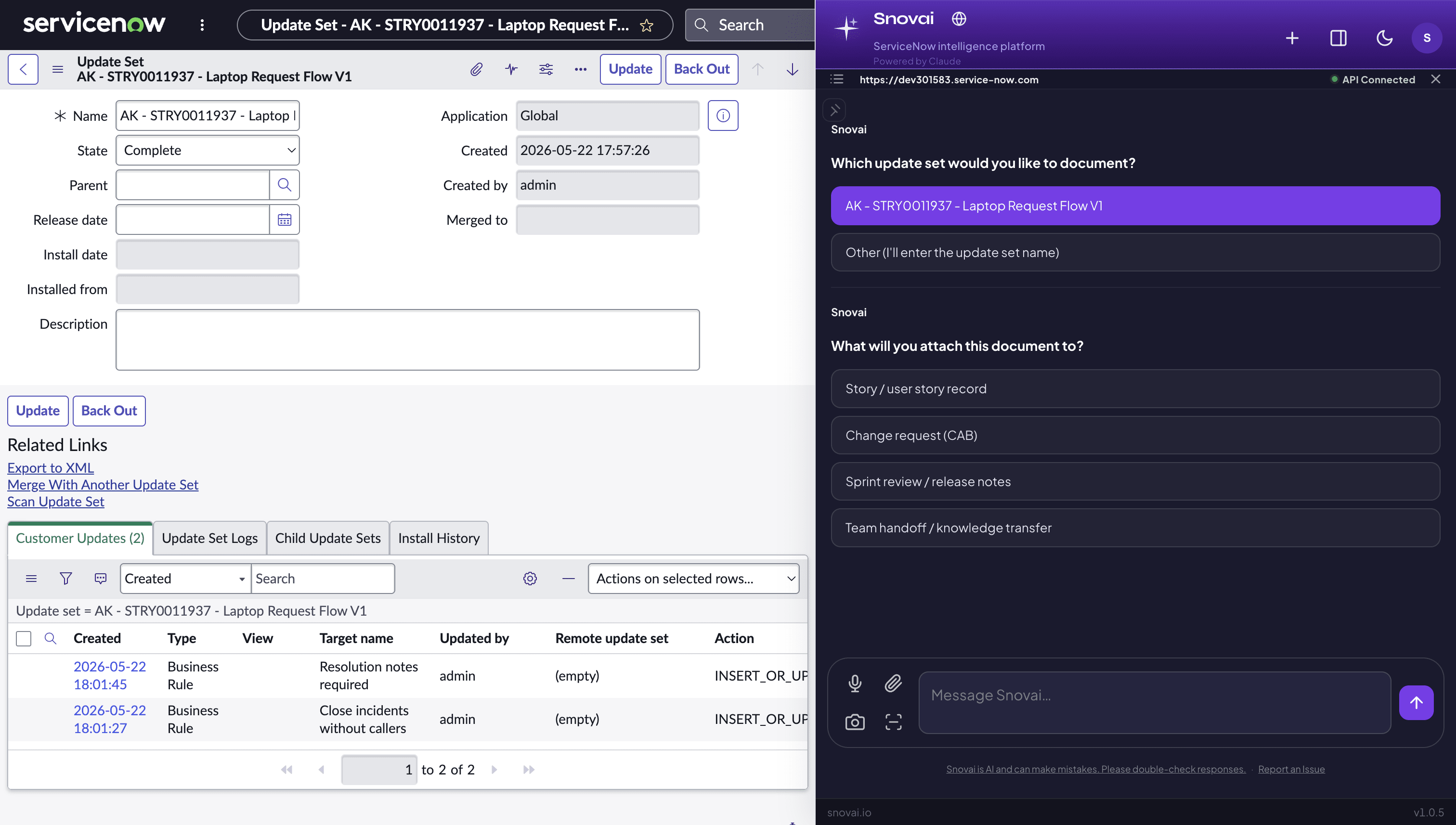
Snovai detects your update set and generates the documentation automatically.
Instance Pulse
Tap the pulse icon in the sidebar and a live overlay shows six health categories at once: CMDB health, platform stability, ITSM pulse, security, license utilization, and AI readiness. Each tile rotates through its key metrics and taps through to the filtered list in ServiceNow.
The instance review that used to take an hour now takes a glance.
Snap Issue
Hit Snap Issue on any ServiceNow page and Snovai reads the page structure, pulls relevant sys_log entries, and checks flow execution history in one click. No switching tabs, no copying sys_ids, no manual digging. You get full context delivered directly to the chat.
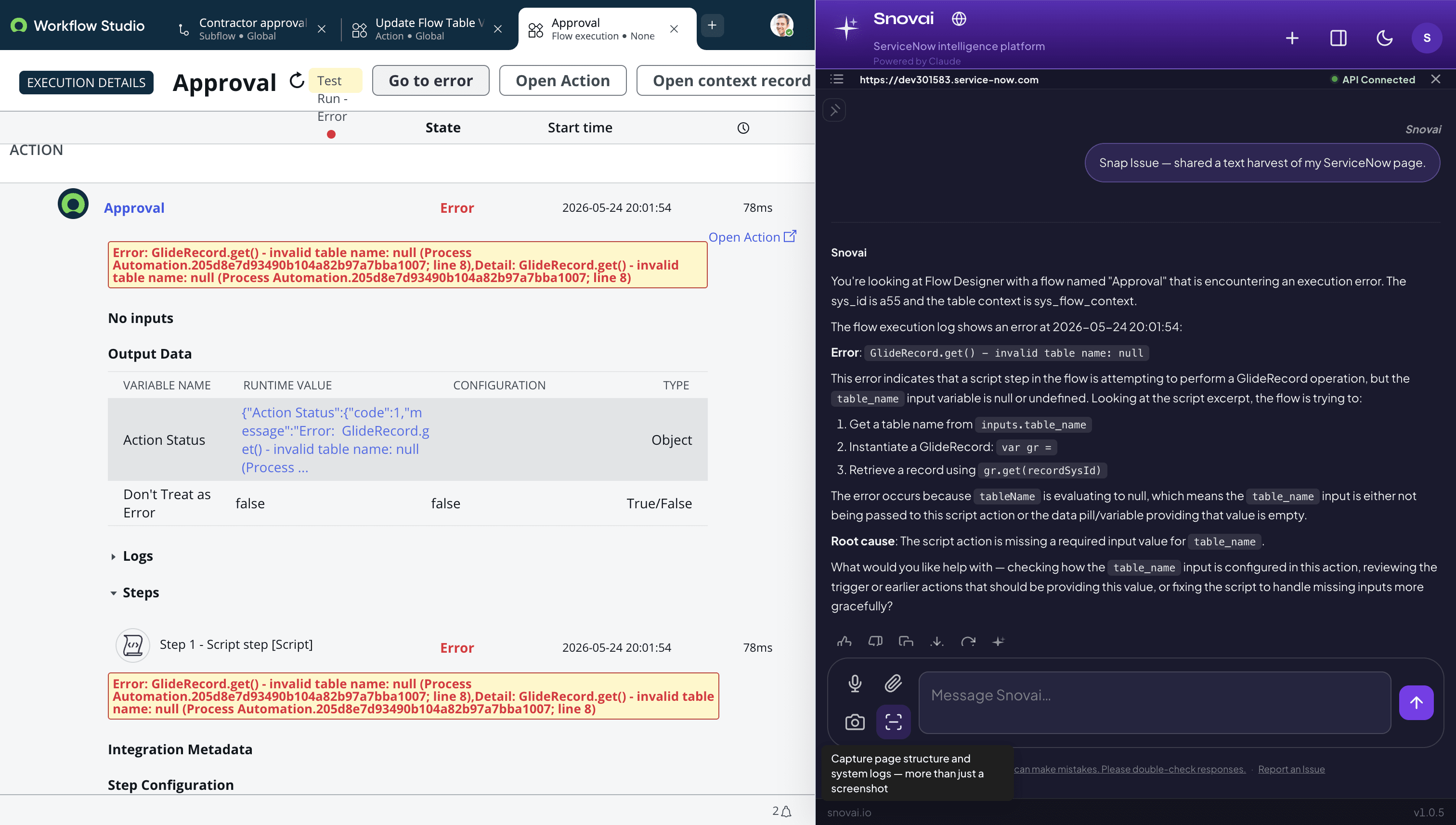
One click gathers page context, logs, and flow execution signals.
Screenshot and ask
Click the camera icon in the Snovai input bar to capture your ServiceNow tab instantly. No snipping tool, no saving files, no uploading. One click attaches the screenshot and you can type your question alongside it. You can also paste directly from your clipboard using Control V or Command V.
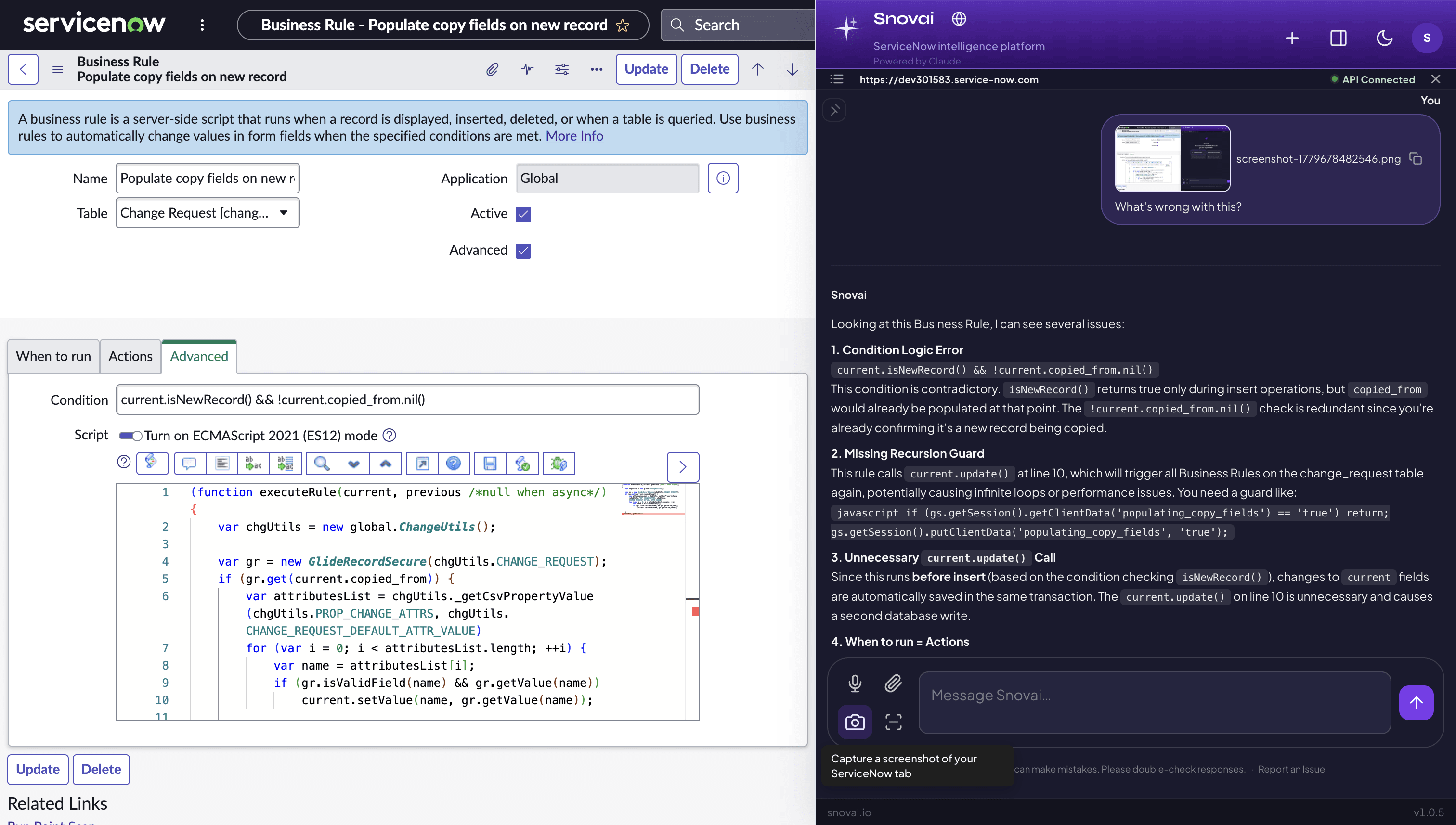
Attach a screenshot in one click and ask questions about what you see.
Pin a plan and work through it
When Snovai gives you a multi-step implementation plan, pin it as a checklist with one click. The plan appears as an overlay so you can check off steps as you work without losing your place in the conversation. Your progress is saved across the session.
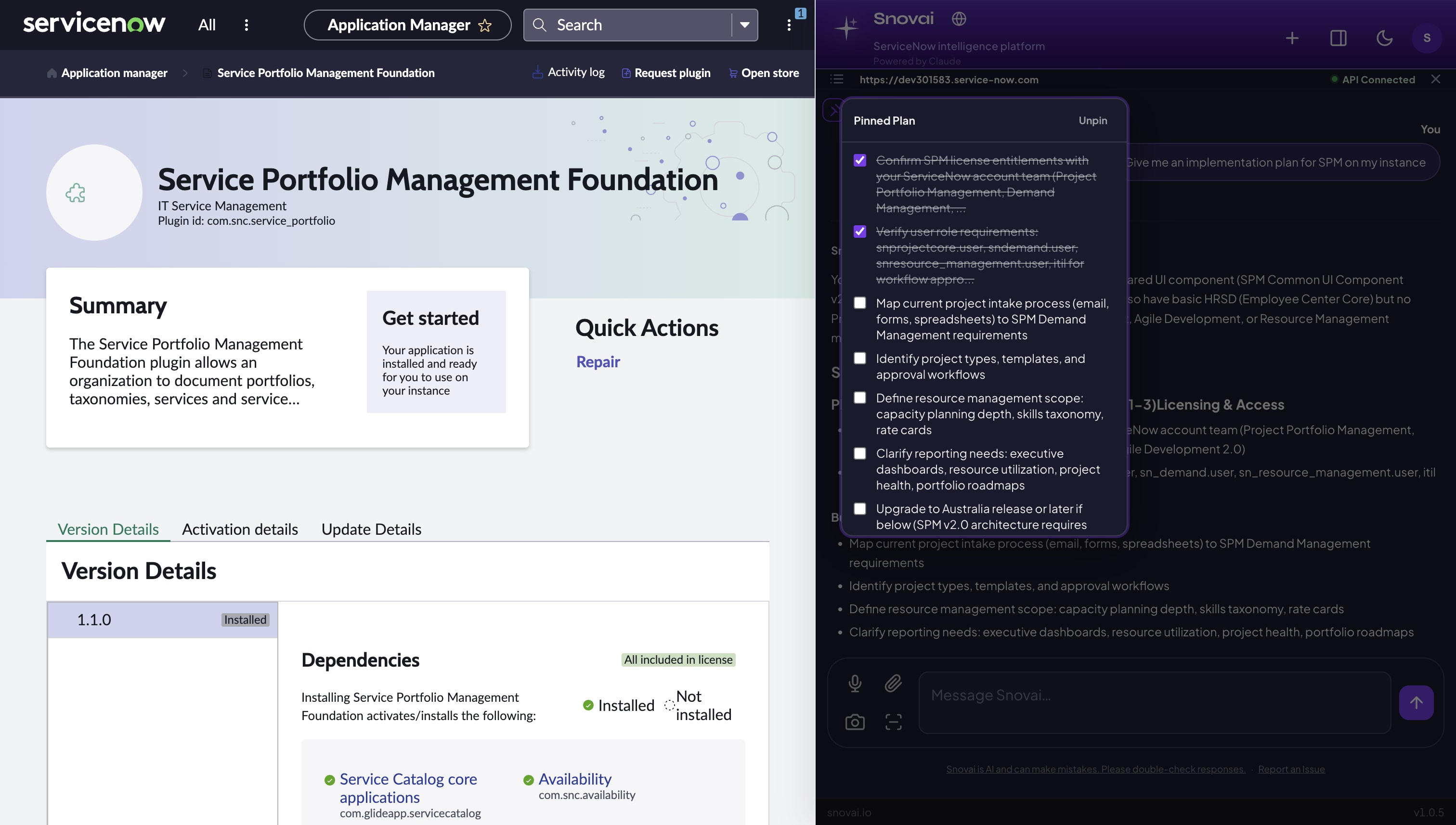
Lost the steps somewhere in the chat? Pin the plan and check off as you go.
Ready to get started?
Connect your instance and run your first query in minutes.